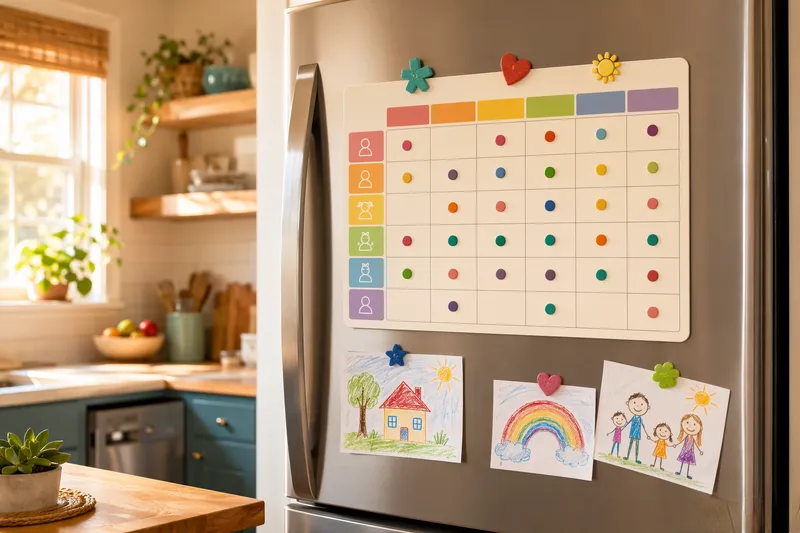
All family activities in one place, color-coded and exportable to any calendar. Everything runs locally; nothing is uploaded.
FreeToolHub Family Schedule Hub is a free browser-based tool — all family activities in one place, color-coded and exportable to any calendar. No signup, no upload; everything runs locally in your browser.
Sobre esta herramienta
Todas las actividades familiares en un solo lugar — con color por miembro y exportables a cualquier calendario (.ics). Sin instalar apps. 100% local, gratis.
Color-coded membersWeekly view.ics exportLocal storage
¿Qué es el centro de horarios familiares?
Esta herramienta es un calendario familiar compartido que vive en el navegador: cada miembro de la familia recibe un color, las actividades van en la rejilla semanal codificadas por color según la persona, y el horario completo se exporta como .ics para Google Calendar, Apple Calendar y Outlook. No hay ninguna app que instalar, ni cuenta compartida que crear, ni un servidor que guarde los movimientos de tu familia: el horario permanece local en tu dispositivo, con exportación y copia de seguridad cuando necesites portabilidad. El objetivo es tener de un vistazo la respuesta a quién está dónde y cuándo.
¿Quién debería usar esta herramienta?
Padres que coordinan colegio, entrenamientos, citas y viajes de trabajo y están hartos de que la respuesta esté repartida en tres apps distintas. Familias reconstituidas que se sincronizan entre hogares sin obligar a todos a usar una sola plataforma. Cuidadores que llevan las citas médicas y las pautas de medicación de un padre anciano junto con las de sus propios hijos. Familias con un progenitor que planifica y otro que está al margen y necesitan una vista que el segundo progenitor pueda leer de verdad. Y hogares que se preguntan si una app de calendario compartido merece la pena antes de comprometerse con una.
¿Cómo funciona?
(1) Configura a los miembros de la familia, cada uno con un color que tiñe todas sus entradas. (2) Añade actividades a la rejilla semanal con hora, lugar y notas; los eventos recurrentes se repiten solos. (3) Filtra por persona para ver la semana de un miembro o la vista con todos superpuestos para detectar conflictos al instante. (4) Exporta .ics para cualquier rango de fechas para llevar el horario a Google, Apple u Outlook, o comparte una vista semanal imprimible. (5) Todo se guarda localmente; usa la exportación de copia de seguridad para pasar el centro a otro dispositivo.
¿Cómo llevar un calendario familiar sin volverse loco?
Las familias donde los calendarios compartidos de verdad se mantienen siguen unas pocas reglas. Una entrada por compromiso, escrita en el momento en que se acuerda: en cuanto llega la hora del entrenamiento por mensaje, eso va al calendario y no a la memoria. Un color por persona, y un color familiar para los eventos de toda la casa, para que destaquen. Revisión semanal: cinco minutos el domingo mirando la semana que viene son mejores que andar corriendo a diario, y es donde afloran los conflictos mientras todavía hay tiempo de arreglarlos. El lugar en cada entrada, porque un calendario que dice dentista pero no qué clínica falla a quien tiene que conducir. Valores por defecto para lo recurrente: cualquier cosa semanal debería introducirse una vez con una regla de repetición, porque la reinserción es donde los calendarios se pudren. Y mantén un hábito de exportación: una exportación mensual a .ics hacia la nube que cada miembro ya use da sincronización a todos sin imponer una sola plataforma al hogar.
Preguntas frecuentes
¿Los miembros de la familia necesitan instalar una app?
No. La herramienta funciona en cualquier navegador. Añade los eventos en un dispositivo, exporta a .ics e importa en la app de calendario que prefiera cada miembro (Apple Calendar, Google Calendar, Outlook).
¿Puedo sincronizar con Google Calendar o Apple Calendar?
Sí. Pulsa Export .ics para descargar un archivo iCalendar. Importa ese archivo en cualquier app de calendario que admita .ics, que son prácticamente todas. Para una sincronización continua, exporta periódicamente o usa el archivo con un calendario compartido.
¿Están privados los datos de mi familia?
Sí. Todos los datos se guardan localmente en tu navegador. No se sube nada. Esto es especialmente importante para los datos de horarios familiares, que pueden incluir actividades y ubicaciones de los niños.
Otros nombres de esta herramienta
Esta herramienta también se conoce por estas tareas — cada enlace abre la misma herramienta con una guía enfocada:
Herramientas relacionadas