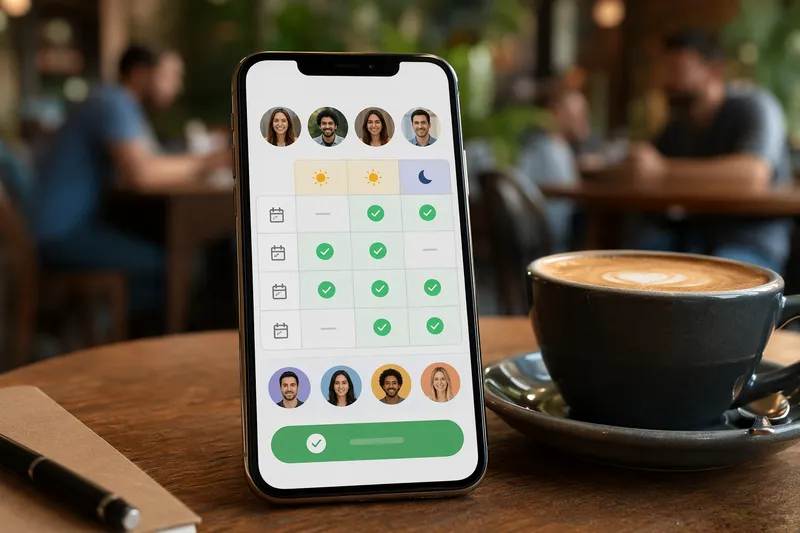
Vote on dates, split the bill, add to calendar. Everything runs locally; nothing is uploaded.
FreeToolHub Group Event Coordinator is a free browser-based tool — vote on dates, split the bill, add to calendar. No signup, no upload; everything runs locally in your browser.
Über dieses Tool
Finden Sie den besten Zeitpunkt, teilen Sie die Rechnung, fügen Sie zum Kalender hinzu — alles aus einem Link. Keine Anmeldung, keine App-Download. Abstimmen, zusammenführen und exportieren als .ics. 100% browserbasiert.
No signupVote by linkBill splitter.ics export
Was ist der Gruppen-Event-Koordinator?
Dieses Tool verwaltet den gesamten Lebenszyklus einer Gruppenveranstaltung aus einem Link: schlagen Sie Zeitfenster vor, sammeln Sie Stimmen von jedem Teilnehmer, beobachten Sie, wie die Zusammenführung aktualisiert wird, während die Stimmen eintreffen, wählen Sie den gewinnenden Zeitpunkt aus, teilen Sie die Rechnung unter den Teilnehmern auf und exportieren Sie das finale Ereignis in den Kalender aller Teilnehmer als .ics. Teilnehmer stimmen ab, indem sie den Link öffnen — keine Anmeldung, keine App-Download, kein Konto für jemanden. Die Daten des Organisators bleiben lokal; Stimmen reisen durch den Link selbst anstelle eines Servers, sodass es keine zentrale Datenbank gibt, die den Zeitplan Ihrer Gruppe speichert.
Wer sollte dieses Tool nutzen?
Freundesgruppen, die Abendessen, Ausflüge und Spielabende ohne einen sechs-Nachrichten-Thread über Wochenenden planen. Teamleiter, die Besprechungszeiten über Zeitzonen hinweg für Auftragnehmer und Kunden außerhalb eines gemeinsamen Kalendersystems finden. Freiwilligenkoordinatoren, die die Verfügbarkeit für Schichten abfragen. Familienorganisatoren, die Geburtstagsfeiern und Familientreffen verwalten, bei denen Verwandte keine weitere App installieren werden. Jeder, der zwischen Doodle, Gruppenchats und Kalendereinladungen hin- und hergewechselt ist und einen Link möchte, der all das kann.
Wie funktioniert es?
(1) Erstellen Sie das Ereignis: benennen Sie es, schlagen Sie Kandidatenzeitfenster vor und optional setzen Sie eine Abstimmungsfrist. (2) Teilen Sie den Link mit der Gruppe per Nachricht oder E-Mail. (3) Jeder Teilnehmer öffnet ihn, markiert die passenden Zeiten und sendet ab — zu keinem Zeitpunkt eine Anmeldung. (4) Die Zusammenfassungsansicht zeigt die Teilnehmerzahl pro Zeitfenster, wodurch der Gewinner offensichtlich wird; der Organisator bestätigt die finale Zeit. (5) Exportieren Sie .ics für jede Kalender-App und verwenden Sie den integrierten Rechnungssplitter, um die Kosten unter denen aufzuteilen, die tatsächlich erschienen sind.
Wie finden Sie einen Zeitpunkt, der für die ganze Gruppe funktioniert?
Die Gruppenterminplanung scheitert aus vorhersehbaren Gründen, und die Lösungen sind mechanisch. Erstens: begrenzen Sie die Optionen – bieten Sie drei bis fünf konkrete Zeitfenster an, nicht offene Verfügbarkeit; unbegrenzte Wahlmöglichkeiten führen zu Analyselähmung und endlosen Runden. Zweitens: fügen Sie die Entscheidungsregel von Anfang an ein – Mehrheit gewinnt, oder der Organisator entscheidet nach Fristablauf bei Gleichstand; Unklarheit ist es, was Terminplanungs-threads in die Länge zieht. Drittens: setzen Sie eine echte Frist von zwei bis drei Tagen und entscheiden Sie mit den vorhandenen Stimmen; auf einen Nachzügler zu warten, kostet mehr als ein unperfektes Zeitfenster. Viertens: für Gruppen über Zeitzonen schlagen Sie Zeitfenster in der Ortszeit jedes Teilnehmers im Link vor, damit niemand falsch mit UTC rechnet. Fünftens: fügen Sie das gewinnende Zeitfenster direkt in den .ics-Export anstatt sich darauf zu verlassen, dass es jemand eintippt – Kalendereintragsfehler sind die häufigste Ursache für Nichterscheinen. Bei wiederkehrenden Ereignissen sperren Sie das erste Vorkommen mit einer Abstimmung, und die nachfolgenden standardmäßig auf denselben Zeitfenster und fragen Sie nur neu ab, wenn die Teilnahme sinkt.
Häufige Fragen
Müssen sich Teilnehmer anmelden?
Nein. Niemand muss ein Konto erstellen oder eine App herunterladen. Der Organisator erstellt ein Ereignis und teilt einen Link. Teilnehmer öffnen den Link, geben ihren Namen ein, markieren ihre verfügbaren Zeiten und erhalten einen Stimmencode, den sie an den Organisator zurücksenden.
Wie funktioniert die Abstimmung ohne Backend?
Ereignisdaten werden direkt im URL-Teil des Freigabelinks mit base64 kodiert. Wenn ein Teilnehmer abstimmt, werden seine Auswahlmöglichkeiten in einen kurzen Stimmencode kodiert. Der Organisator sammelt diese Codes und fügt sie in das Ergebnisbereich ein, um automatisch den Zeitpunkt mit den meisten Stimmen zu finden.
Werden meine Daten auf einen Server hochgeladen?
Nein. Alles passiert in Ihrem Browser. Die Ereignisdaten leben im URL-Hash (den Browser nicht an Server senden), und Stimmencodes werden über Ihre bevorzugte Messaging-App geteilt. Es gibt keine Datenbank, kein API und keine Datenerfassung.
Kann ich den gewinnenden Zeitpunkt in meinen Kalender exportieren?
Ja. Sobald Stimmen zusammengeführt und die beste Zeit identifiziert ist, klicken Sie auf "Zum Kalender hinzufügen (.ics)", um eine iCalendar-Datei herunterzuladen, die in Apple Calendar, Google Calendar, Outlook oder jede Kalender-App importiert wird, die das .ics-Standardformat unterstützt.
Enthält es einen Rechnungssplitter?
Ja. Die Registerkarte "Rechnung aufteilen" lässt Sie den Gesamtbetrag, die Anzahl der Personen und den Trinkgeldprozentsatz eingeben. Sie berechnet den Gesamtbetrag und wie viel jede Person schuldet. Dies ist nützlich für Gruppeneessen, Ausflüge und gemeinsame Ausgaben.