📧
Developer/Temporary Email

Temporary Email

Receive-only disposable email. No sign-up, no tracking, instant availability. Emails are kept for 1 hour.
SERVER REQUIREDInstant inboxAuto-refreshZero signupReceive-only
Temporary Email uses a server. This tool requires a server to receive emails. Your temporary inbox content is automatically deleted after 1 hour. This is the only tool on FreeToolHub that uses a server — all other tools run 100% in your browser.
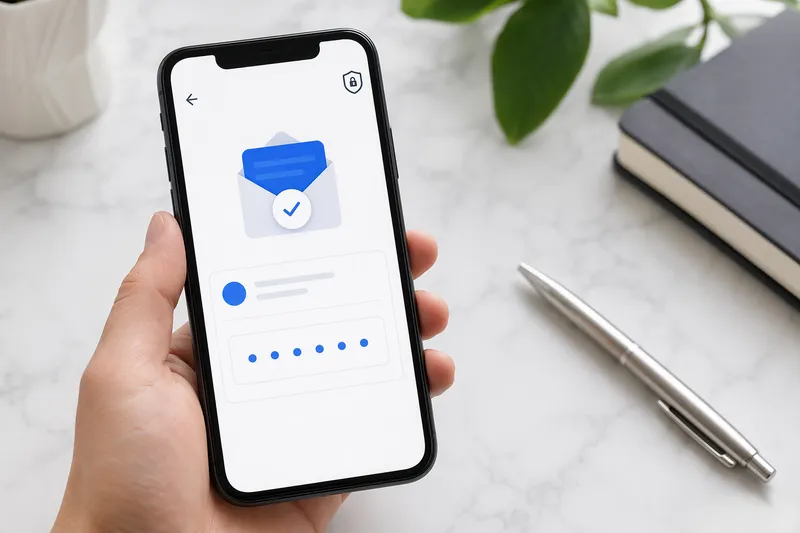
Temporary disposable email inbox on a phone screen
Create a Temporary Email
Receive-only · No sign-up · No tracking · Instant availability
Create a temporary email address above to start receiving messages
Receive-only — perfect for sign-ups and verifications
Powered by Guerrilla Mail · Emails are kept for 1 hour
Data Source & Legal Disclaimer
Effective: Live API — real-timeLast updated: 2 months agoUpdate: Real-time
Sources: Guerrilla Mail — Free Temporary Email API

This tool uses the Guerrilla Mail public API to create temporary email addresses. Emails are kept for approximately 1 hour. Do not use for sensitive communications. We do not store or transmit your email data.

See all data sources & update policy →

How a temporary email inbox works — illustrated

A disposable inbox is a receive-only relay. The tool asks the Guerrilla Mail API for a fresh address; the server returns it together with a session token (sid_token) that identifies your inbox. Mail sent to that address lands in a server-side mailbox you poll over HTTP — this page checks every 10 seconds. Nothing is ever sent from the address, and no account or sign-up is involved. To keep abuse low, the provider only retains messages for roughly one hour, then purges the inbox and makes the address reusable. That makes it ideal for one-off sign-ups and verification codes, while your real inbox stays clean.

A temporary inbox lifecycle
TEMP EMAIL LIFECYCLE — ~1 HOUR, THEN AUTO-PURGEDSendersign-up / verificationSMTP RelayGuerrilla Mail APITemporary Inbox[email protected]sid_token session — poll every 10s0 min30 min60 minmessages readable & polled via AJAXinbox purged after ~1 hour

Receive-only, session-scoped, and auto-purged — the three properties that make a disposable address safe.

Worked example

Leo wants a coupon from an e-commerce newsletter but does not want the follow-up spam in his real inbox, so he uses this tool to generate a throwaway address.

  1. Create:He types "leo2026" and picks @sharklasers.com. The API returns the address instantly — no sign-up, no account, and a session token ties it to this tab.
  2. Submit:He enters [email protected] into the site's sign-up form and waits for the confirmation email.
  3. Receive:The tool auto-polls every 10 seconds; the confirmation message appears in the inbox within seconds, marked unread with a preview of the sender and subject.
  4. Expire:He opens it, copies the coupon code, and closes the tab. The server keeps the inbox for about one hour, then purges it — the promotional emails never reach his personal address.
↩ Back to calculator

About this tool

What is this tool?

Get a free temp mail address instantly. No signup, auto-refresh inbox, works for sign-up verification. Disposable email that keeps spam out of your real inbox.

Instant inboxAuto-refreshZero signupReceive-only

What Is the Temporary Email Tool?

The Temporary Email tool gives you a free, disposable email address that you can use to receive emails without revealing your real email. It is perfect for signing up on websites that require email verification, testing email functionality, or avoiding spam. The inbox auto-refreshes, and no signup or registration is required — just visit the page and start receiving.

Who Should Use This Tool?

This tool is for anyone who wants to protect their privacy online: developers testing email flows, people signing up for free trials, users who want to avoid marketing emails, and anyone who needs a quick disposable email address for one-time use. If a website asks for your email but you do not want to give them your real one, use this tool.

How Does This Tool Work?

When you visit the page, a random disposable email address is generated automatically. You can copy it with one click and paste it into any sign-up form. The inbox auto-refreshes every few seconds to check for new emails. Emails are receive-only — you cannot send from this address. The inbox is temporary and will be cleared after a period of inactivity.

Is My Temporary Email Address Private and Secure?

Your temporary email address is generated randomly and is not linked to any personal information. No signup, no cookies, no tracking. However, do not use temporary email for sensitive accounts (banking, healthcare, government) — anyone who knows the address can read the inbox. Use it for one-time verifications and throwaway signups only.

Frequently Asked Questions

Is the temporary email really free?

Yes, 100% free with no signup, no hidden costs, and no usage limits. Generate as many temporary email addresses as you need. No account or credit card required.

Can I send emails from the temporary address?

No. This is a receive-only service. You can receive verification codes, confirmation emails, and test messages, but you cannot send emails from the temporary address. This prevents abuse and spam.

How long does the temporary email last?

The temporary email address remains active as long as you are using it. Inboxes are automatically cleared after a period of inactivity to free up resources. If your inbox expires, simply refresh the page to generate a new temporary email address.

Is it safe to use for account verification?

Temporary email is safe for one-time verifications on non-sensitive accounts (free trials, downloads, forums). Do NOT use it for important accounts (banking, healthcare, government, primary email) — if you lose access to the temporary inbox, you cannot recover the account.

Can others see my temporary inbox?

Temporary email addresses are not private — if someone else guesses or is given the same address, they could read your inbox. Do not use temporary email for sensitive communications. Always use your real email for important accounts.

Does this work with all websites?

Most websites accept temporary email addresses for signup. However, some services block known disposable email domains. If a website rejects your temporary email, try generating a new one or use a different service.

Other names for this tool

This tool is also known by these tasks — each link opens the same tool with a focused guide:

Related tools

Joke of the Day
Sep 6

What do you call a crab that plays baseball?

100% Free, Forever

Keep Tools Free for Everyone

No paywalls, no signups, no data sold. Built by a solo developer who believes useful tools should be accessible to everyone.

Support me on Ko-fi— keep tools free

100% of proceeds go towards hosting & building more free tools.